
SPY Cameras By m mhb
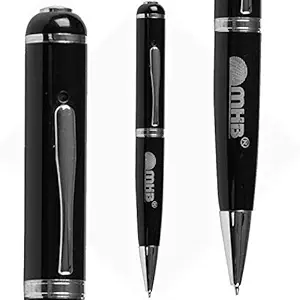
by m mhb
Price:  1798
1798
 2999
2999
1798
2999
You Save: 1,201.00 (40%)
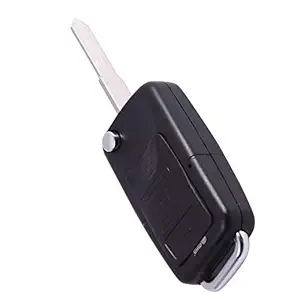
by m mhb
Price: 1498
2999
1498
2999
You Save: 1,501.00 (50%)
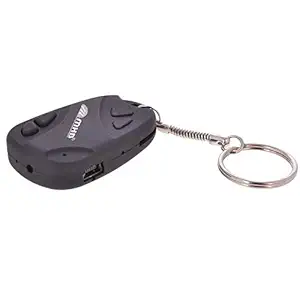
by m mhb
Price: 1499
2499
1499
2499
You Save: 1,000.00 (40%)

by m mhb
Price: 1999
2999
1999
2999
You Save: 1,000.00 (33%)
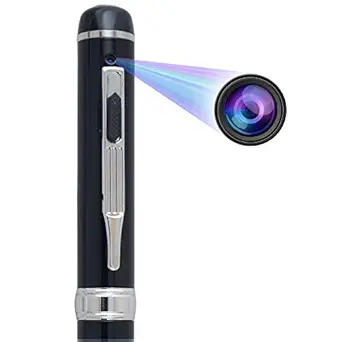
by m mhb
Price: 2499
4999
2499
4999
You Save: 2,500.00 (50%)
by m mhb
Price: 1491
2499
1491
2499
You Save: 1,008.00 (40%)

by m mhb
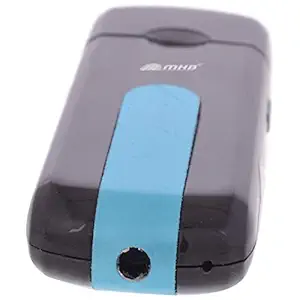
m mhb n Series Wired 4 HD Sound and Digital Video Mini Keychain Spy Camera , 32GB Memory Supportable
Price: 1498
2499
1498
2499
You Save: 1,001.00 (40%)

by m mhb
Price: 4999
5999
4999
5999
You Save: 1,000.00 (17%)
by m mhb
Price: 6499
7499
6499
7499
You Save: 1,000.00 (13%)

by m mhb
Price: 5499
6499
5499
6499
You Save: 1,000.00 (15%)

by m mhb
Price: 1999
2999
1999
2999
You Save: 1,000.00 (33%)
by m mhb
Price: 5998
7999
5998
7999
You Save: 2,001.00 (25%)

by m mhb
Price: 1499
2499
1499
2499
You Save: 1,000.00 (40%)
by m mhb
Price: 3998
5999
3998
5999
You Save: 2,001.00 (33%)
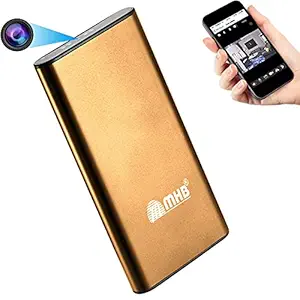
by m mhb
Price: 5998
10999
5998
10999
You Save: 5,001.00 (45%)

by m mhb
Price: 1499
2499
1499
2499
You Save: 1,000.00 (40%)
M MHB High Defination Quality Spy Pen Camera Pro Series 2 with Built in 16gb Memory Video/ Audio Hidden Recording Spy Camera,HD Sound Clarity Security Camera. Just Plug and Play. Multifunctional. - Product Features
- Please use as per the instruction: START VIDEO AUDIO RECORDING : 1. Press on / off button for 3 sec and then leave (light mode: orange light will on and then turn in to blue that means recording has started.
- To switch off the pen hold the same on / off button for 3 sec until the orange lights comes and get switch off.
- While recording if the battery gets drains no need to worry your data will be automatically saved in the pen and then it will get switch off.
- DATA TRANSFER :1. Kindly switch of the Pen camera & than attached in the computer.
- 2. While functioning please dont attached in to computer or electricity.
m mhb Series 1 HD Wired Mini Portable Spy Keychain Camera with No Light Flashes with Built in Rechargeable Battery , 32GB Memory Supportable for Indoor and Outdoor - Product Features
- If the product gets hand please reset that product by a needle or pin. You will get the reset button between the memory slot and USB slot. DATA TRANSFER 1. Kindly switch off the key chain camera and then attach it to the computer. 2. While functioning please don't attached in to computer
- 6 Months service warrant.Kindly keep on charge before using it. Dear Customer our company gives best quality product,Not like other company are use n throw . our product are repairable .our product offers u latest version. it functions very smoothly ,it will not get hang in between your important work
- Our products give best video clarity and sound clarity. It is like this that you have done a makeup. We give best quality product and best service. We will try our best to provide you a good service. Please use as per the instruction
- Now hold the middle button until the red and blue light blinks six times and get off then leave that button that means video recording has been started. Now to stop recording again hold the middle button until the blue light blinks 5 times and turns into red and get hold. 6. Now hold the las button the red light blinks 3 times and get off
- START VIDEO/AUDIO RECORDING.1. Kindly open the key by pressing the top silver color button and insert memory card. 2. Start video: kindly hold the last button on/off with soft hand and then leave. 3. You will see that red light gets on that means machine is on then blue light will go off and will remain still
M MHB Now Keychain Camera While Recording No Light Flashes.32GB Memory Supportable .HD Sound Quality Audio/Video Recording, Original Brand only Sold by M MHB. - Product Features
- IF LIGHT DONT STOP FLASHING AFTER 60-90 MIN THAN ALSO REMOVE FROM CHARGE Prefer laptop or desktop mostly. you can use electricity mode in emergency
- START VIDEO AUDIO RECORDING ; Big button Kindly press on / off BUTTON till the time orange light get on .Then small button Kindly press on / off BUTTON till the time orange light get on flash 3 times AND GET OFF that means recording has started .
- Stop Recording : Press SMALL BUTTON 1 time and Quikly leave orange light will get on . Power off : Big Button Hold on / off button for 3 sec orange light will get of
- then use usb cable and attached laptop or desktop.IF YOU ARE UNABLE TO SEE THE VIDEO AND ONLY AUDIO SOUND IS COMING SO PLEASE KINDLY DOWNLOAD THE VLC MEDIA PLAYER TO PLAY THE FILE.IF LIGHT DO NOT GET ON/OFF, KINDLY RESET THAT PRODUCT BY A NEEDLE OR A PIN.YOU WILL GET THE RESET BUTTON BETWEEN THE USB CABLE SLOT AND THE MEMORY CARD SLOT
M MHB HD Quality Pen Camera Video/Audio Hidden Recording,HD Sound Clearity Pen Camera with 16gb Memory.Original Brand only Sold by M MHB. - Product Features
- KINDLY CONTACT US IF ARE HAVING TROUBLE USING THE DEVICE. M MHB brand product are sold by M MHB only and there are no other seller of this brand .
- Battery charging time: 1. Please switch off the Pen Camera first and then keep for charging. 2. Please dont charge more than 60 min …. 3. While charging yellow light indicate continuously and when it stop charging complete … 4. If the charging cross 60-min and yellow light dont stop than also remove the pen camera from charging.
- Please use as per the instruction: START VIDEO AUDIO RECORDING :1. Press on / off button for 3 sec and then leave (light mode: orange light will on and then turn in to blue that means recording has started.
- 2, To switch again press the same button orange light will come and get switch off.
- DATA TRANSFER :1. Kindly switch of the Pen camera & than attached in the computer. 2. While functioning please dont attached in to computer. 3. If you are unable to see the video and only audio is heard please download again the VLC media player to play the file.
MMHB Series 3 1080p HD Spy Pen Pro Series, High Definition Digital Video Camcorder Pen, 16gb Removable Memory, Clear Audio Video survilliance Multifunctional Camcorder. - Product Features
- Kindly open the bottom part of pen camera to insert the memory card properly and Start video : press ON/OFF button for 5 second with soft hand and than leave, You will see the green light on .
- Again press the same button for 3seconds and then leave Light will continous blink three times and it will get switch off that means recording is started
- For switch off the recording ;Kindly hold the top ON/ OFF again with the soft hand for 5second red light will indicate 1times and it will get switch off then use usb cable and attached laptop or desktop.
- IF YOU ARE UNABLE TO SEE THE VIDEO AND ONLY AUDIO SOUND IS COMING SO PLEASE KINDLY DOWNLOAD THE VLC MEDIA PLAYER TO PLAY THE FILE .
m mhb HD 720p Wired Spy Pen Drive Hidden Video Audio Recording Spy Memory- Series 3, up to 32GB Memory Supportable Security Camera - Product Features
- Our products give best video clarity and sound clarity. It is like this that you have done a makeup.
- We will try our best to provide you a good service. Please use as per the instruction,
- Please dont charge more than 60min …. While charging red & blue light Flashes continuously and when it stop Flashing that means charging complete … 2. If the charging cross 60min and red & blue light dont stop than also remove the Usb Camera from the Laptop / desktop. Please use as per the instruction. Firstly insert micro sd card in to the slot
- START VIDEO/ AUDIO RECORDING: Use USB in correct time direction.Red & blue light flashes that means is machine on … after that red light will blink3 times that means standby mode). 1. To start: video recording press once left hand side down and then leave (light mode: red light blinks 3 times that means recording is started). 2. To power off: Hold right hand side down button for 1 sec and then leave (light mode: ONLY BLUE light blinks 3 times and it get switch off).
- DATA TRANSFER 1. Kindly switch off the USB and then attached it to the computer. 2. While functioning please dont attached into computer or electricity. 3. If you are unable to see the video and only audio is coming so please kindly redownload the media player to play the file.
m mhb n Series Wired 4 HD Sound and Digital Video Mini Keychain Spy Camera , 32GB Memory Supportable - Product Features
- 6 months service warranty, Important Note ;KINDLY CONTACT US IF U ARE HAVING TROUBLE USING THE PEN CAMERA CT DETAIL. kindly charge the product laptop or desktop for 45-60 min. DONT CHARGE MORE THEN THAT IF LIGHT DONT STOP FLASHING AFTER 60-90 MIN THAN ALSO REMOVE FROM CHARGE Prefer laptop or desktop mostly. you can use electricity mode in emergency
- START VIDEO AUDIO RECORDING ; Big button Kindly press on / off BUTTON till the time orange light get on .Then small button Kindly press on / off BUTTON till the time orange light get on flash 3 times AND GET OFF that means recording has started .
- Stop Recording : Press SMALL BUTTON 1 time and Quikly leave orange light will get on . Power off : Big Button Hold on / off button for 3 sec orange light will get of
- then use usb cable and attached laptop or desktop.IF YOU ARE UNABLE TO SEE THE VIDEO AND ONLY AUDIO SOUND IS COMING SO PLEASE KINDLY DOWNLOAD THE VLC MEDIA PLAYER TO PLAY THE FILE.
- IF LIGHT DO NOT GET ON/OFF, KINDLY RESET THAT PRODUCT BY A NEEDLE OR A PIN.YOU WILL GET THE RESET BUTTON BETWEEN THE USB CABLE SLOT AND THE MEMORY CARD SLOT
M MHB HD Mobile Charger Hidden Camera Motion Detection.While Recording no Light Flashes. with Long Hours Recording.Original Brand Sold by Only M MHB .(d) - Product Features
- HOW TO OPERATE MEMORY 3-PIN PLUG CAMERA. 2. Please insert the memory card properly.
- 3. Start Video Recording: Place the plug camera on the electric board with soft hands and then leave.,4. When you attach it to the electric board it will automatically get to video recording mode.
- 5.That means video recording is started. For switching off video recording kindly press one times the right side button and then leave.
- 7. Red light will blink three times that means video recording is switched off.
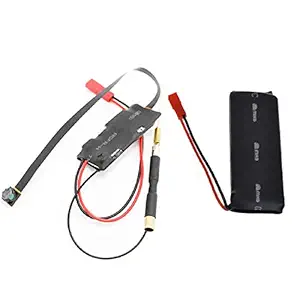
M MHB WiFi Spy Ultra Mini pin Hole Camera Directly seen on Your Mobile Within 50 feet with Recording in Mobile with high-Definition Video Capabilities - Product Features
- Operate with Your Mobile Within 50 feet .Kindly keep the product charged before using it. Dear Customer our company gives best quality product. our product offers latest version and it functions very smoothly.
- Our products give best clarity of video and sound. We provide customer care number with our product manual you can call us on that number we will be always there to solve your issues. We give best quality product and best service. We will try our best to provide you a good service. Please use the product as per the instruction,How to use : Download \"wisdomeye\" from Google.
- 1. Then connect battery to the device. After connecting, both light will be turned on This means hotspot of the device has been activated.2. Now go to your phone wifi setting. Search for the new wifi signal (wifi name will be same as UID which is printed on the camera) and connect it.
- 2. After connection is been made, go to wisdomeye app which was downloaded earlier.3. Add new device which is 4. Then add name to your camera and put UID which is printed on your camera, do not put any thing in password. Or simply scar QR code and press OK.
- 5. Then, if you want to change your password click on change or simply skip it. 6. Now your camera is been connected. Click on the \"Cam\" to view live video feed.7. Recording video.For recording press the record button as shown in the demo. 8. Recording AudioFor recording video with audio, Press audio record button as shown in the demo. KINDLY CONTACT US IF U ARE HAVING ANY TROUBLE USING THE PRODUCT
M MHB New Full HD 1080p Plug Wall Charger Adapter Camera Hidden Mini Pin Hole Camcorder Secret Spy cam Support 32gb Card. - Product Features
- Our products give best quality in video and audio both. After recording It seems like face has been retouched with makeup. We also provide customer care number for any help you can call on that number. We give best quality product and best service. We will try our best to provide you a good service. Please use the product as per the instruction,
- 1.Press A,blue and red lights brighten in one time and the red light will be off after 3 seconds, and the device will be standby mode. 2.Press B to take photo and store one photo 3.Press C, the blue light will flash 3times and begin to record, press C again to stop recording and store the file. 4.Press D, the blue light and red light will flash 3 times and motion detection function is on. The blue ligh turns off after the bright, begin to record. Please press D to stop recording and the red
- light will be on at the same time.5.Press A to turn off the device, the red light will be off after one time flash fastly. 6.When the power low , the device will be off automaticlly. The red light will flash slowly when the device is working with low power, store the files automaticlly and turn off.7.Connect the device with PC via USB cable, preaa A to read files. 8.The device can be powered by power source, the battery will be full about 3hours later. The red light is on
- when the device is charging and off after full power.9.Reset: Because of the wrong operation or any other unknown reasons,the device go die,please push the button to OFF and push it to ON again, to reset. 10.Open the device from computer, and create a new text file named \"time. txt\" in the root directory. Opening text file, according to the following format to input current date and time, such as :2011.12.01 10:10:10 (Year. Month. Day.Hour. Minute.Seconds),save the file to finish setting.
M MHB HD Pen Drive Shape SPY Voice Recorder USB Flash Light 4gb Internal Memory Does NOT Flashes While Recording. Color May Vary - Product Features
- The USB Voice Recorder is a two-in-one flash drive and voice recording device that makes your audio recording discreet.
- It can record sound while in pocket, bags and even in drawer. With memory able to capture up to 20 hours of audio you will never miss an important event.
- This wireless USB Voice Recorder is your very own audio recording system at the easy flick of a switch. Plug & Play Technology - Easy Review & Transfer on Any Computer.
- This voice recorder is a USB drive so you can quickly plug into any computer and upload and email your recordings. No software to install.
- Perfect for the busy student who can't miss a note. All your classes can easily be transferred to your computer.
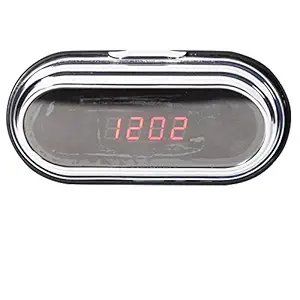
M MHB WiFi Night Vision Spy Camera in Table Clock Controlled Through Mobile Within 50 feet, Alarm Clock WiFi HD Wireless Camera Series 2,with Motion Detection, ,Real time Video,Covert Security Camera - Product Features
- Our products give best clarity of video and sound. We provide customer care number with our product manual you can call us on that number we will be always there to solve your issues. We give best quality product and best service. We will try our best to provide you a good service. You can operate this device from your mobile within 50 feet. Please use the product as per the instruction. This is one time setup. How to use ,Download \"HDminiCAM\" from Google.
- 1.Open the back panel of the table clock. 2.Download “HDminiCAM"from Google for android device. 3.Slide the ON/OFF button to the ON side. 4.You will see Blue and Red light blinking.
- 5.Now go to your phone Wi-Fi setting. Search for the new Wi-Fi signal (Wi-Fi name will be same as UID which is printed on the device) and connect it. (IF UID DOES NOT APPEAR IN WIFI SETTING, PLEASE RESET THE DEVICE BY PRESSING RESET BUTTON). 6.After connection is been made, go to “HDminiCAM" app which was downloaded earlier.
- 7.As soon as you open the app, Camera will be automatically detected. And it will be online. 8.Click on the “Cam" to view live video feed. 9.Recording video. For recording press the record button.
- 10.Recording Audio For recording video with audio, Press audio record button. * In case if you forgot the password, please reset it the device. It will reset the password.
M MHB Hidden Keychain Spy Camera Mini Portable Keychain Camera Series 2 with Built-in Rechargeable Battery Car Key Camera HD Sound Quality .32GB Memory Supportable While Recording No Light Flashes, - Product Features
- 6 months service warranty, Important Note ; kindly charge the product laptop or desktop for 45-60 min. DONT CHARGE MORE THEN THAT IF LIGHT DONT STOP FLASHING AFTER 60-90 MIN THAN ALSO REMOVE FROM CHARGE Prefer laptop or desktop mostly. you can use electricity mode in emergency
- START VIDEO AUDIO RECORDING ; Big button Kindly press on / off BUTTON till the time orange light get on .Then small button Kindly press on / off BUTTON till the time orange light get on flash 3 times AND GET OFF that means recording has started .
- Stop Recording : Press SMALL BUTTON 1 time and Quikly leave orange light will get on . Power off : Big Button Hold on / off button for 3 sec orange light will get of
- then use usb cable and attached laptop or desktop.IF YOU ARE UNABLE TO SEE THE VIDEO AND ONLY AUDIO SOUND IS COMING SO PLEASE KINDLY DOWNLOAD THE VLC MEDIA PLAYER TO PLAY THE FILE.
- IF LIGHT DO NOT GET ON/OFF, KINDLY RESET THAT PRODUCT BY A NEEDLE OR A PIN.YOU WILL GET THE RESET BUTTON BETWEEN THE USB CABLE SLOT AND THE MEMORY CARD SLOT
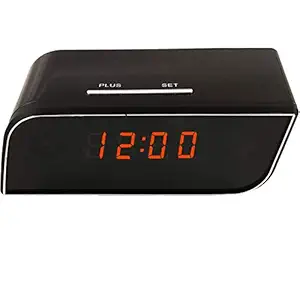
M MHB HD Quality Audio/Video Recording Table Clock Spy Camera. While Recording no Light Flashes. Remote Operating. 32gb Memory Supporting - Product Features
- Dont keep for charge more than 3 hour
- Table Clock Camera Gives You Best Video Audio Recording With Clear
- Memory Support up to 32gb
- Clear Video Audio Sound
- Charge With Laptop or Electricity
Spy Camera m mhb Night Vision WiFi Spy Security Camera in Square Box Full HD 1920*1080 Series 1,Directly seen on Your Mobile with Recording in Mobile Phone Anytime Anywhere.Real-time Video Detection - Product Features
- Kindly switch of the camera and than attached in the computer,2. While functioning please don't attached in to computer or electricity , Please use as per the instruction: START VIDEO AUDIO RECORDING :
- Download “IPLiveCam" from app store for IOS device or from google play store for android device. Press round shaped “ON/OFF" button given on the device. There will a bright light flashed for once. And red colour light will go on for 5 seconds and then it will turn off
- After sometime “red" and “blue" light will start blinking. Now go to your phone Wi-Fi setting. Search for the new Wi-Fi signal and connect it.After connection is been made, go to “IPLiveCam " app which was downloaded earlier. Press “+" on the top corner of the app to add your device
- There are two ways to add the camera to your phone. Add name to your camera and put UID which is printed on your camera, do not put anything in password or simply scan QR code and press OK
- Now your camera is been connected. Click on the connected camera to view live video feed. For recording press the record button. For recording video with audio, press audio record button
M MHB Now Keychain Spy Camera Audio/Video Recording, While Recording No Light Flashes .HD Sound Quality .32GB Memory Supportable,Originalbrand Product are Sold by M MHB - Product Features
- IF LIGHT DONT STOP FLASHING AFTER 60-90 MIN THAN ALSO REMOVE FROM CHARGE Prefer laptop or desktop mostly. you can use electricity mode in emergency
- START VIDEO AUDIO RECORDING ; Big button Kindly press on / off BUTTON till the time orange light get on .Then small button Kindly press on / off BUTTON till the time orange light get on flash 3 times AND GET OFF that means recording has started .
- Stop Recording : Press SMALL BUTTON 1 time and Quikly leave orange light will get on . Power off : Big Button Hold on / off button for 3 sec orange light will get of
- then use usb cable and attached laptop or desktop.IF YOU ARE UNABLE TO SEE THE VIDEO AND ONLY AUDIO SOUND IS COMING SO PLEASE KINDLY DOWNLOAD THE VLC MEDIA PLAYER TO PLAY THE FILE.IF LIGHT DO NOT GET ON/OFF, KINDLY RESET THAT PRODUCT BY A NEEDLE OR A PIN.YOU WILL GET THE RESET BUTTON BETWEEN THE USB CABLE SLOT AND THE MEMORY CARD SLOT
Popular Categories on BuyBestBrands.in
Garden & Outdoors : Seeds, Plants, Plant Containers, Gardening Tools, Garden Decor, Pest Control, Barbecue & Outdoor Dining, Solar Power, Fertilizer & soil, Watering Equipment
Amazon Brand : Symbol, Inkast Denim Co, House & Shields, Jam & Honey, Solimo, Presto!, Symactive, Eden & Ivy, Vedaka, Tavasya, Myx


